

-
-
Mírate éste último tutorial de Counter Strike 2🔥
.thumb.png.002fa5a6ba16960513a0352288010125.png)
- 5 respuestas
- 1.468 vistas
- Añadir respuesta
- speedcrate - Le da velocidad temporal al jugador.
- hecrate - Le da una granada HE al jugador.
- uzicrate - Le da una UZI al jugador.
- shieldcrate - Le da un escudo al jugador.
- godmodecrate - Le da 10 segundos de inmunidad total al jugador.
- hpcrate - Le da 50 puntos de salud al jugador.
- gravitycrate - Le da gravedad temporal al jugador.
- drugcrate - Le da efecto de 'Droga' al jugador.
- armorcrate - Le da chaleco al jugador.
- frostcrate - Le da una granada FlashBang al jugador.
- smokecrate - Le da una granada de humo al jugador (Servidores la utilizan como granada congelante).
- deathcrate - Mata al jugador.
- shakecrate - Le da un efecto temporal de terremoto al jugador.
- freezecrate - Congela temporalmente al jugador.
- randomcrate - Le da un efecto al azar al jugador.
- 0 respuestas
- 976 vistas
- Añadir respuesta
- 0 respuestas
- 2.052 vistas
- Añadir respuesta
- 2 respuestas
- 530 vistas
- Añadir respuesta
- 2 respuestas
- 874 vistas
- Añadir respuesta
- 1 respuesta
- 833 vistas
- Añadir respuesta
- 1 respuesta
- 870 vistas
- Añadir respuesta
- 1 respuesta
- 1.221 vistas
- Añadir respuesta
- 1 respuesta
- 865 vistas
- Añadir respuesta
- 0 respuestas
- 796 vistas
- Añadir respuesta
[Evento] Octavo Torneo Mapper


Organizadores:  Mundo Mapper y
  Alta Fruta (sitio web)
Tipo de mapa: Deathrace
Premios
1er Puesto:
$ 1700 (ARS)
+ Medalla de oro.
2do Puesto:
$ 800 (ARS)
+ Medalla de plata.
3er Puesto:
J.A.C.K (programa de steam para mapear)
+ Medalla de bronce.
Jueces: LeaN, FedeeRG4L y Maxi605
Fecha límite de entrega: 3/07/2022(en caso de tener pocos participantes esta fecha puede ser extendida)
-------------------------------------------------------------------
Requisitos del mapa
Creación: El recorrido de mapa no debe ser muy dificultoso, debe tener una dificultad fácil o intermedia, para que la mayoría pueda llegar a la meta. No necesariamente el mapa tiene que tener un recorrido largo, ni tampoco demasiado corto, puede tener una distancia, que corriendo sin parar dure entre 45 segundos y 1 min aproximadamente en llegar a la meta, no es determinante, es relativo para que se entienda lo que es un tamaño intermedio.
Slots: 32
FPS: Tratar de que no baje, pero si baja que pase los 60.
Créditos: Será requisito obligatorio colocar créditos de autoría, de Mundo Mapper y de Alta Fruta.
Para ello, facilitamos un wad que pueden descargar haciendo click sobre el .rar.
mundomapper y alta fruta wad.rar306 kB · 0 descargas
No necesariamente tienen que usar el wad, pueden crear texturas de créditos personalizada o incluso utilizar otro recurso como sprite, etc.
-------------------------------------------------------------------
A tener en cuenta
1. Se hará una evaluación completa. (Optimización; Estética; Estructura; Texturas; Jugabilidad)
2. Los premios son solo en pesos argentinos y únicamente se transferirá por Mercado Pago de Argentina. A pesar de que Mercado Pago exista en otros países de latinoamérica solo se podrá si la cuenta es de Argentina. Por otra parte, si no tenes una cuenta MP y querés participar, te animamos a crearte una, ya que es muy sencillo.
3. ¿Cómo crear un mapa Deathrace? Aquí una guía: [Guía] Cómo crear un mapa Deathrace
4. Son libres de crear lo que quieran en el mapa y utilizar todo tipo de recursos.
5. Se valorarán las ideas originales en cuanto a la estética y la utilización de texturas.
6. No está permitido entregar un mapa que ya hayan publicado, reemplazando los créditos para el torneo, debe ser un mapa creado desde cero específicamente para este evento.
7. No publicar el mapa, se debe entregar por privado a los jueces (Foro o Discord). En los resultados se revelarán los mapas y luego pueden publicarlos.
8. No tengan temor de anotarse, ya que es una oportunidad para mejorar y con un mínimo de tiempo dedicado se puede terminar el mapa.
¡Para inscribirse, hacerlo saber comentando ésta publicación!
¡El evento está abierto para todos!
-------------------------------------------------------------------
Participantes hasta el momento: 3 (cantidad ilimitada)
fakuhw1
Ezequiel' C
GordoNáutico
El pirucho XP-007
VACANTE
VACANTE
VACANTE
VACANTE
Como crear un mapa de Deathrace | Guía

Los mapas de Deathrace utilizan entidades func_breakable con un nombre especial para otorgar el poder.
Los nombres de los poderes disponibles son:
Luego, para que un jugador pueda ganar tiene que tocar un botón con el nombre winbut.
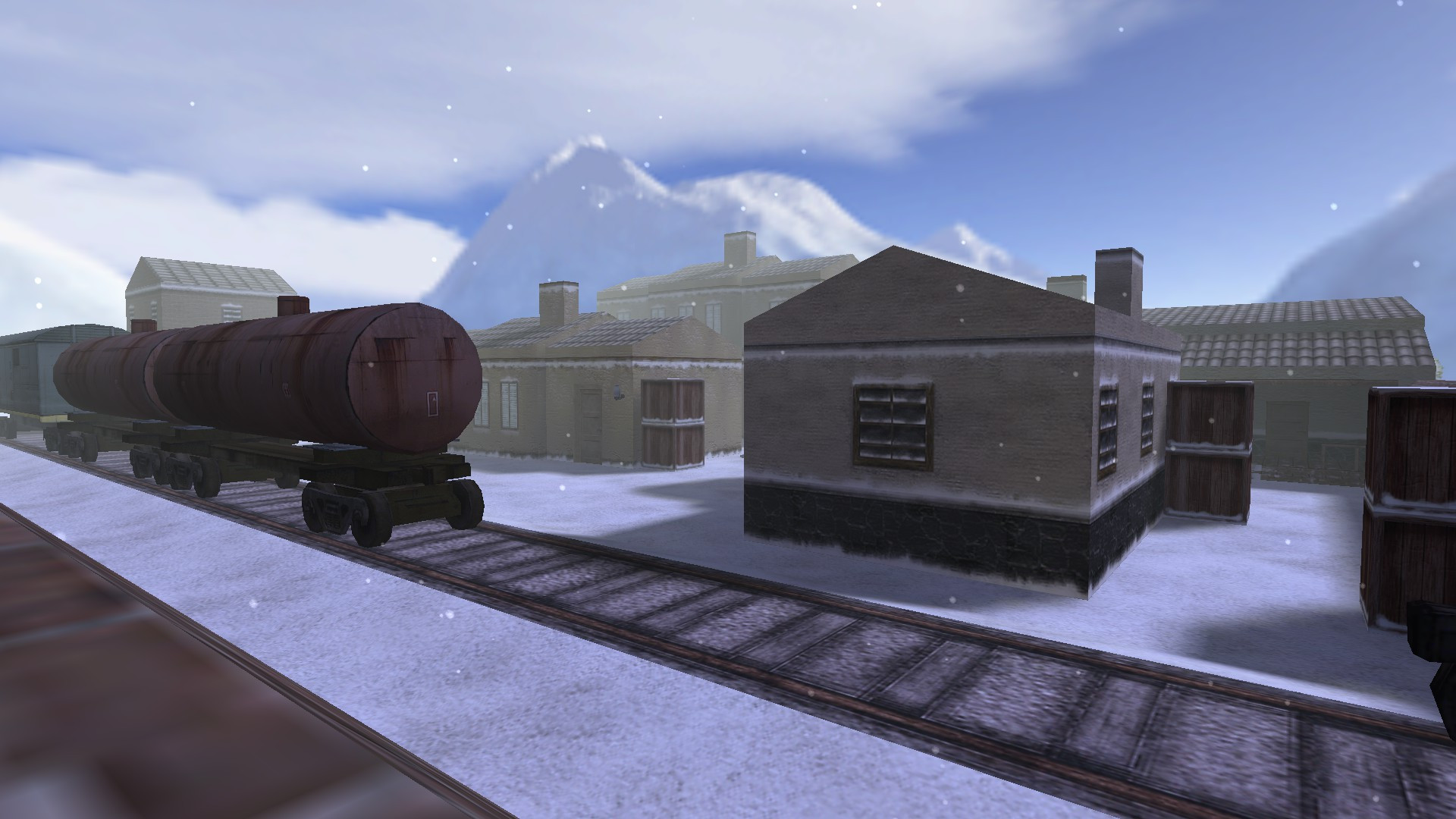
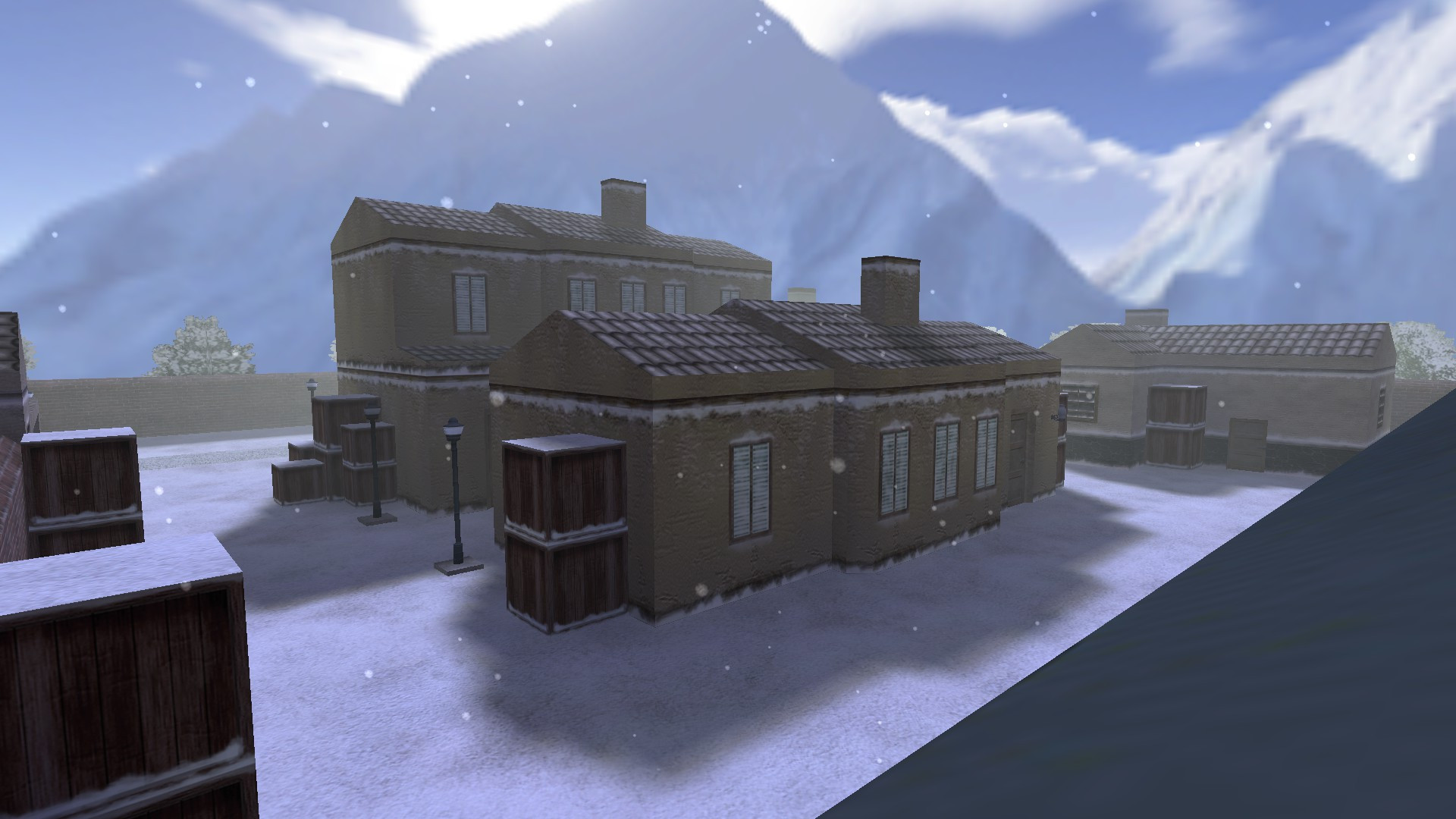
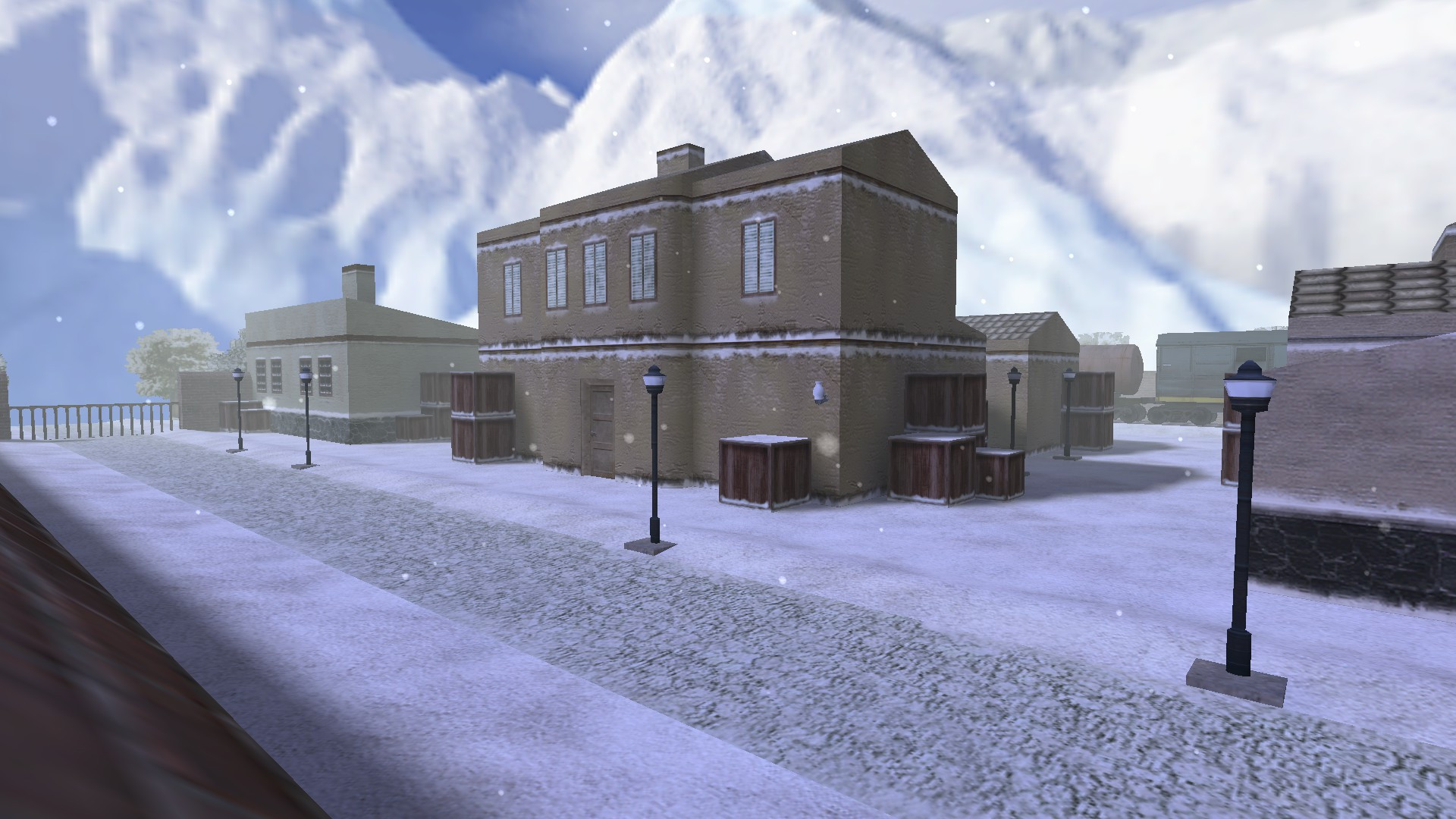
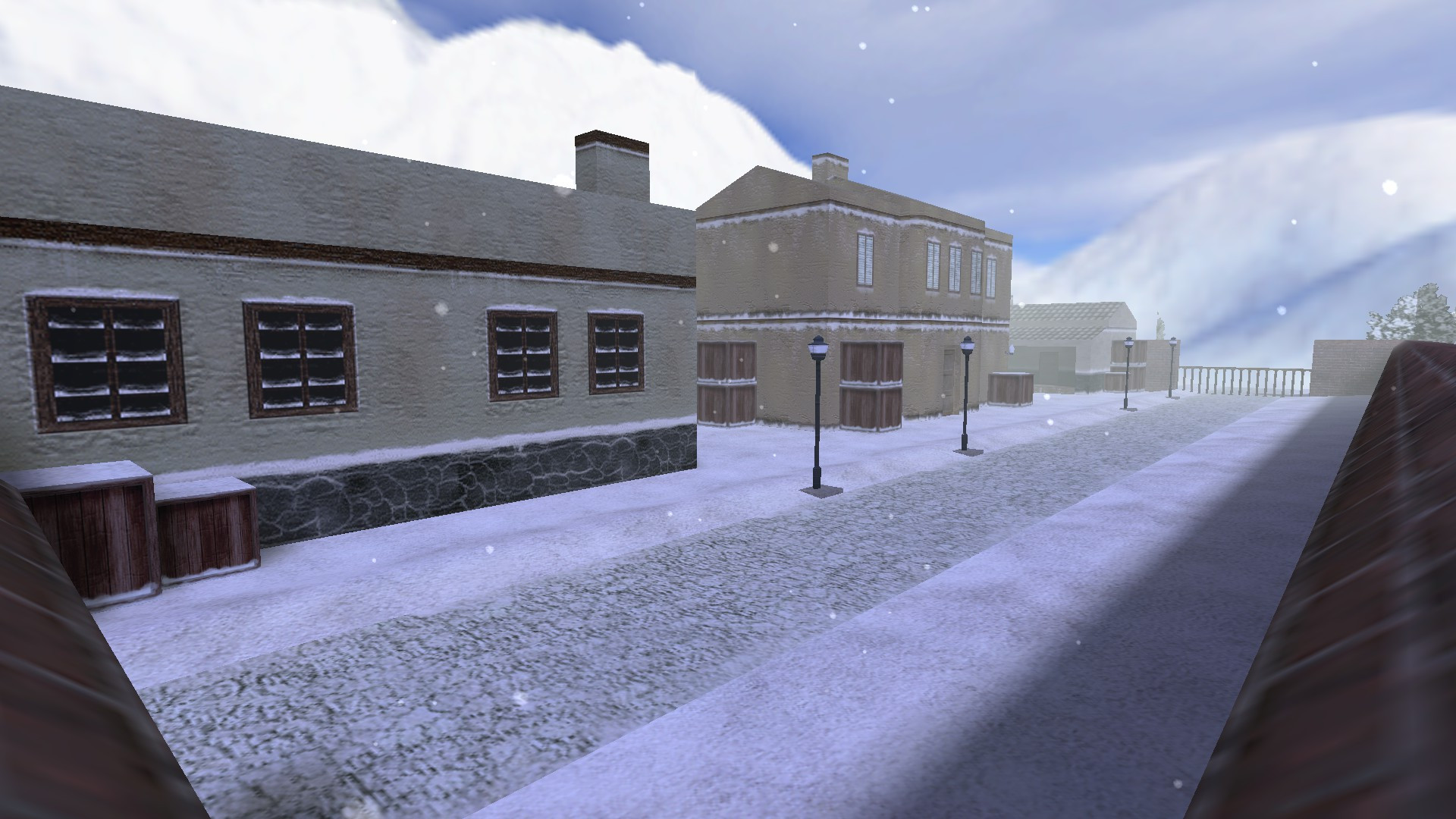
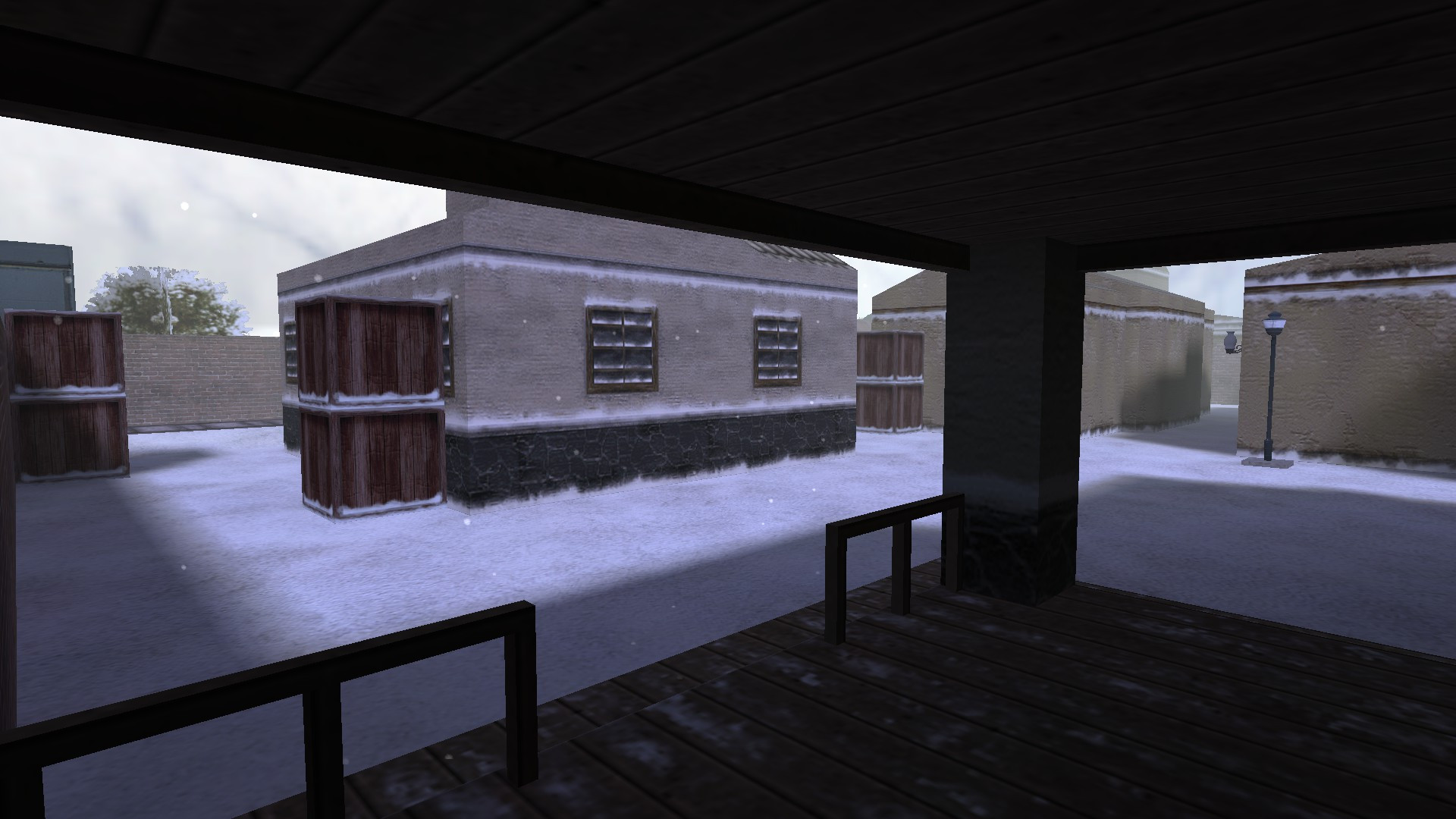
th_wintertown
Nombre: th_wintertown
Modo: The Hidden
Versión: Estable/Final
Slots: 16 CT & 16 TT.
Descarga:https://gamebanana.com/mods/372213
Sky de de_aztec

Hola soy nuevo en esta pagina y quisiera saber como se llama el sky o el cielo del mapa de_aztec para ponerlo en un mapa
.jpeg.28c12468a8a3e6a3c9bcc1772cb29aad.jpeg)
cuales son los requerimientos de los mapas "zm"?

Hola.
Hice un mapa para zombie mod pero tengo una pequeña duda.
Cuantos spawns de ts y cts son necesarios?
o si es el caso no tengo que utilizar otro fgd o eso? 🙃
espero que respondan xd
kz_curiosity
Hola a todos.
Les dejo un mapa kz que termine hace varios meses de dificultad difícil.
Descarga: Link
Disfruten!


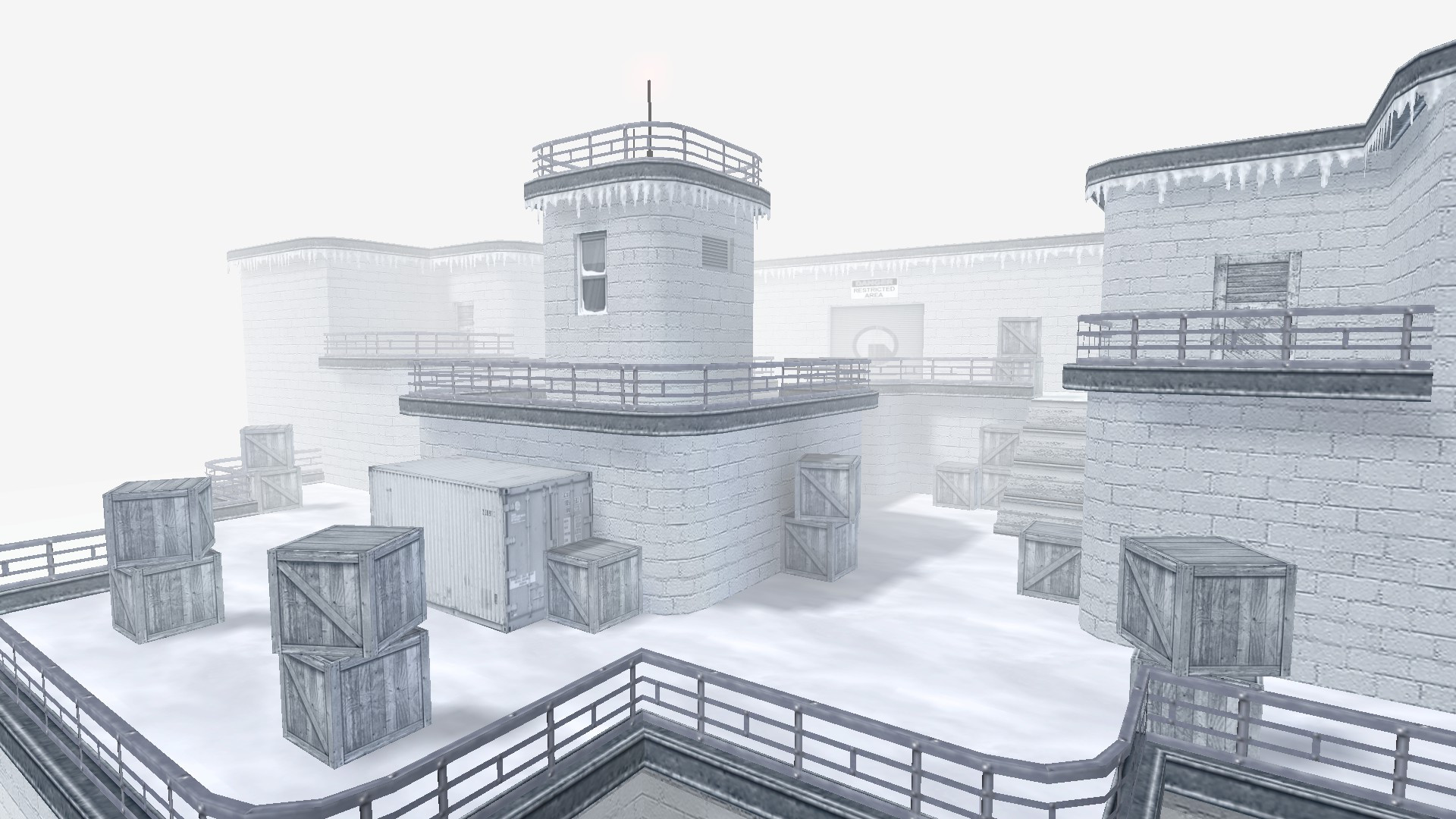
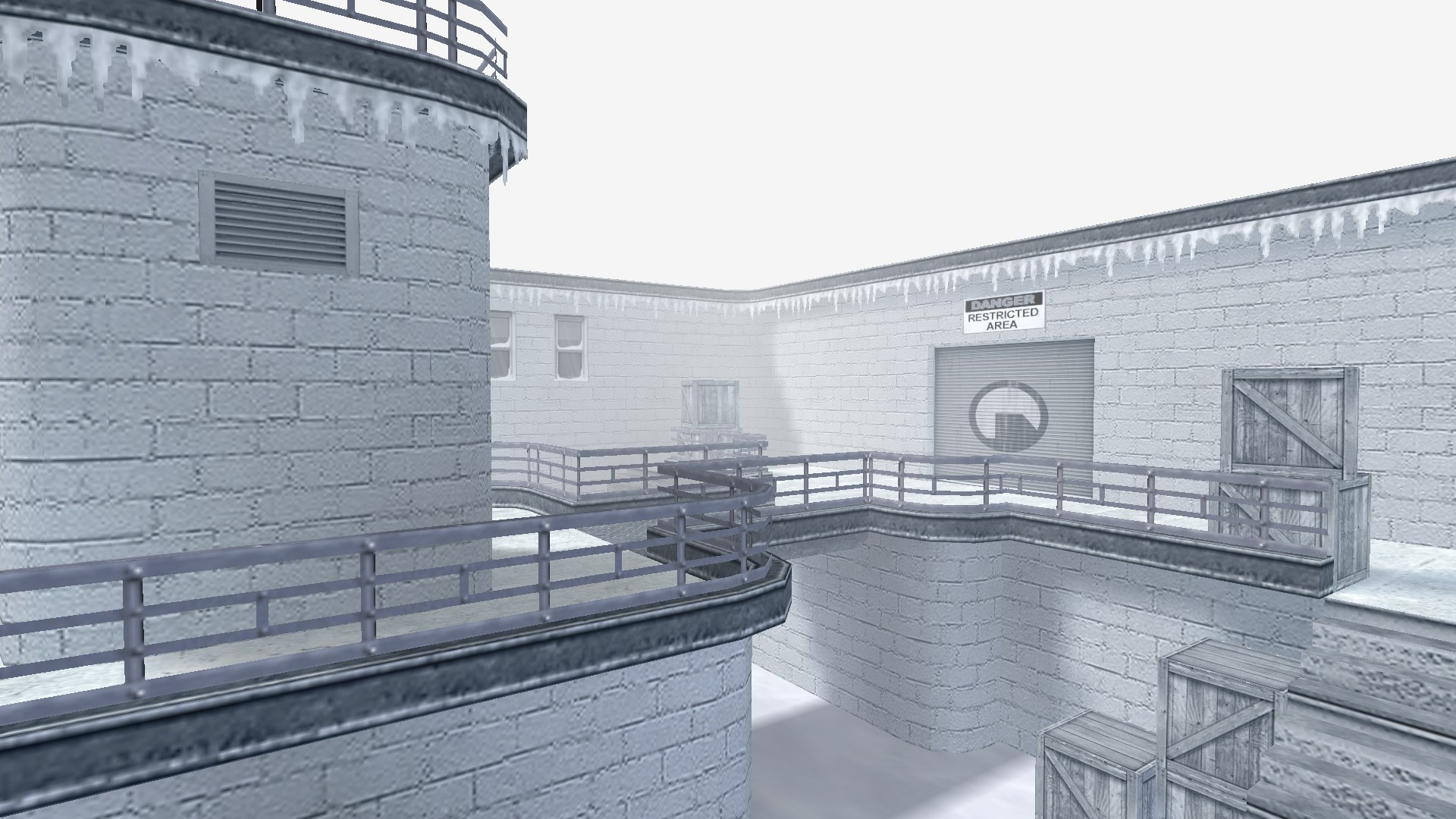
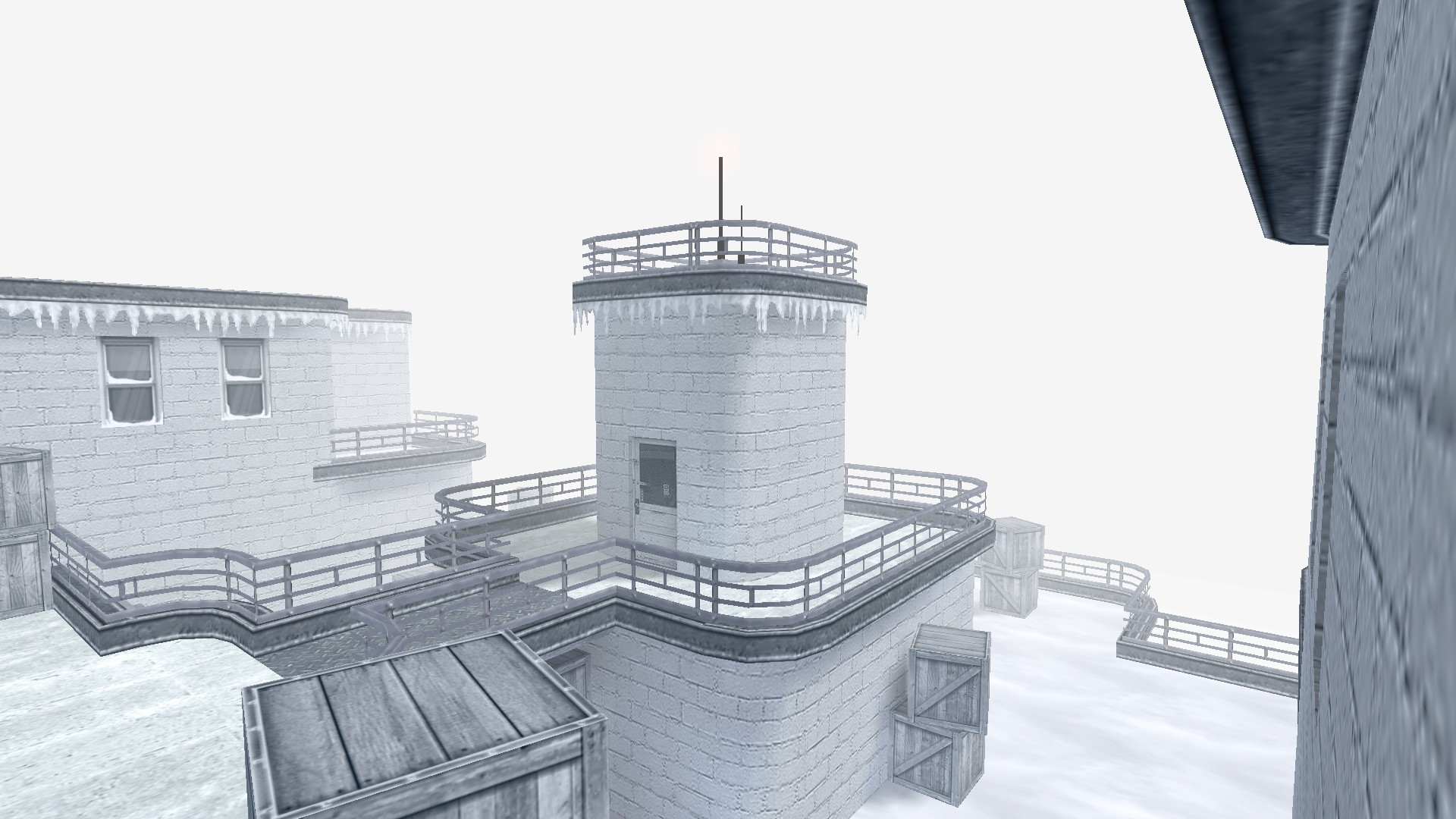
ar_snw
Nombre: ar_snw
Modo: Arena Mod
Versión: Estable/Final
Slots: 32 TT.
Descarga:https://gamebanana.com/mods/357594
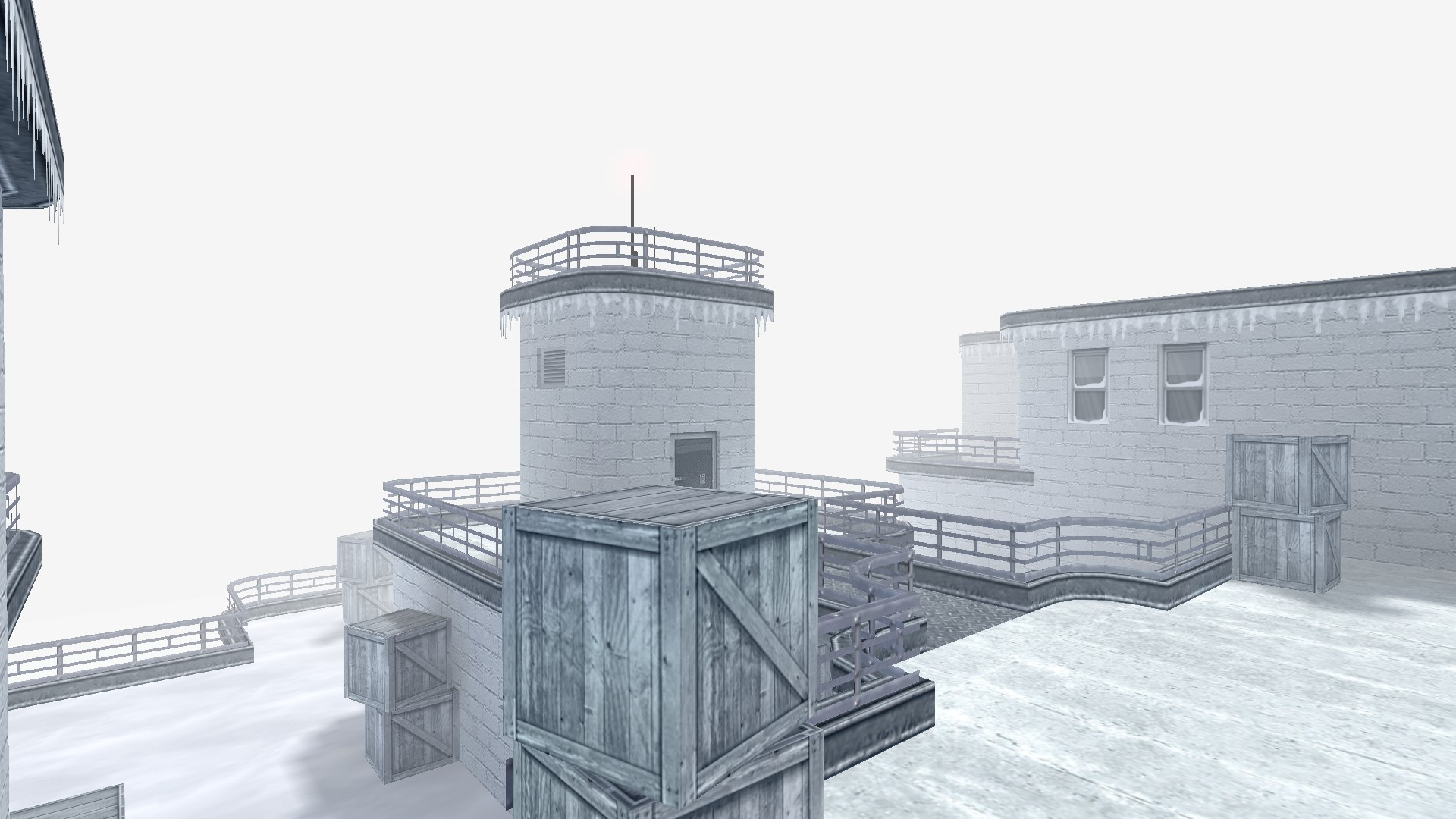
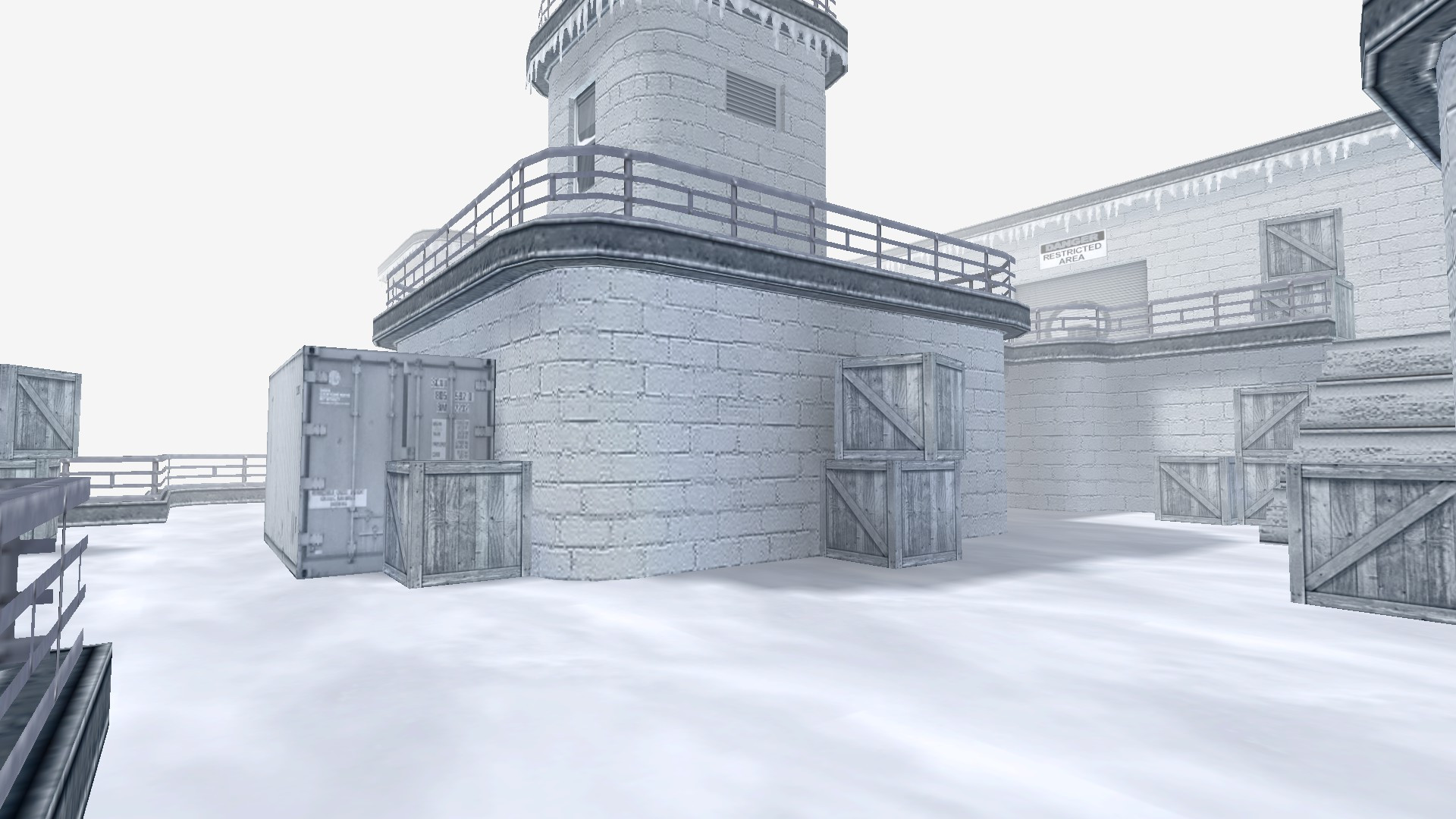
qn_winterhole
Buenas a todos!
Les dejo un mapa kz que termine hace poco. Es un mapa de temática de nieve y con buenos fps.
Slots: 34
Dificultad: fácil/media
Descarga: Link
Disfruten!


VHE no me funciona
Hola, Hace mucho que no me conecto, pero tuve unos ciertos problemas serios con el vhe.
El primero y ultimo problema es que cada vez que intento iniciar el VHE 3.5 o 3.4, al iniciar la pantalla de carga se me cierra y me pone que la app a dejado de funcionar.
Intente reinstalarlo pero no pasó nada. Mire la memoria RAM y tengo los requerimientos y todo. Así que pobre varias cosas, pero no funcionaron.
Ahora uso el worldcraft 3.3, y no me compila bien los mapas, y el jack no me funciona tampoco.
Aiuda ;(
(editado) Valve hammer editor 3.5 Spanish no compila [SOLUCIONADO]

[SOLUCIONADO ] LEER ABAJO CUAL ERA EL PROBLEMA .
Cuando queria compilar un mapa el log me daba este error que van a ver abajo. De lo cual causaba que los programas ZHLT no compilen el mapa.
LOG
--------------------------------------------------------------------------------------------------------------------------------------------------------------------------------------
** Executing...
** Command: Change Directory
** Parameters: D:\JUEGOS\PIRATEADO\CS 1.6\Counter-Strike 1.6
** Executing...
** Command: Copy File
** Parameters: "D:\COSAS\Valve hammer editor mapas\escuelita_beta.map" "D:\COSAS\Valve hammer editor mapas\escuelita_beta.map"
** Executing...
** Command: D:\COSAS\vhe 3.5\Zhlt\SC-CSG_x64.exe
** Parameters: "D:\COSAS\Valve hammer editor mapas\escuelita_beta"
Unknown option "D:\COSAS\Valve hammer editor mapas\escuelita_beta"
hlcsg v4.0-VL-SC 64-bit (Oct 30 2020)
Zoner's Half-Life Compilation Tools -- Custom build for Sven Co-op
Based on code modifications by Vluzacn (VL)
Based on code modifications by Sean "Zoner" Cavanaugh (4.0)
Based on Valve's version, modified with permission.
Submit detailed bug reports to http://forums.svencoop.com
-= hlcsg Options =-
-console # : Set to 0 to turn off the pop-up console (default is 1)
-lang file : localization file
-nowadtextures : include all used textures into bsp
-wadinclude file : place textures used from wad specified into bsp
-noclip : don't create clipping hull
-clipeconomy : turn clipnode economy mode on
-cliptype value : set to smallest, normalized, simple, precise, or legacy (default)
-nullfile file : specify list of entities to retexture with NULL
-onlyents : do an entity update from .map to .bsp
-noskyclip : disable automatic clipping of SKY brushes
-tiny # : minimum brush face surface area before it is discarded
-brushunion # : threshold to warn about overlapping brushes
-hullfile file : Reads in custom collision hull dimensions
-wadcfgfile file : wad configuration file
-wadconfig name : use the old wad configuration approach (select a group from wad.cfg)
-texdata # : Alter maximum texture memory limit (in kb)
-lightdata # : Alter maximum lighting memory limit (in kb)
-chart : display bsp statitics
-low | -high : run program an altered priority level
-nolog : don't generate the compile logfiles
-noresetlog : Do not delete log file
-threads # : manually specify the number of threads to run
-estimate : display estimated time during compile
-verbose : compile with verbose messages
-noinfo : Do not show tool configuration information
-nonulltex : Turns off null texture stripping
-nonullifytrigger: don't remove 'aaatrigger' texture
-nolightopt : don't optimize engine light entities
-notextconvert : don't convert game_text message from Windows ANSI to UTF8 format
-dev # : compile with developer message
-wadautodetect : Force auto-detection of wadfiles
-scale # : Scale the world. Use at your own risk.
mapfile : The mapfile to compile
** Executing...
** Command: D:\COSAS\vhe 3.5\Zhlt\SC-BSP_x64.exe
** Parameters: "D:\COSAS\Valve hammer editor mapas\escuelita_beta"
Unknown option "D:\COSAS\Valve hammer editor mapas\escuelita_beta"
hlbsp v4.0-VL-SC 64-bit (Oct 30 2020)
Zoner's Half-Life Compilation Tools -- Custom build for Sven Co-op
Based on code modifications by Vluzacn (VL)
Based on code modifications by Sean "Zoner" Cavanaugh (4.0)
Based on Valve's version, modified with permission.
Submit detailed bug reports to http://forums.svencoop.com
-= hlbsp Options =-
-console # : Set to 0 to turn off the pop-up console (default is 1)
-lang file : localization file
-leakonly : Run BSP only enough to check for LEAKs
-subdivide # : Sets the face subdivide size
-maxnodesize # : Sets the maximum portal node size
-notjunc : Don't break edges on t-junctions (not for final runs)
-nobrink : Don't smooth brinks (not for final runs)
-noclip : Don't process the clipping hull (not for final runs)
-nofill : Don't fill outside (will mask LEAKs) (not for final runs)
-noinsidefill : Don't fill empty spaces
-noopt : Don't optimize planes on BSP write (not for final runs)
-noclipnodemerge: Don't optimize clipnodes
-texdata # : Alter maximum texture memory limit (in kb)
-lightdata # : Alter maximum lighting memory limit (in kb)
-chart : display bsp statitics
-low | -high : run program an altered priority level
-nolog : don't generate the compile logfiles
-threads # : manually specify the number of threads to run
-estimate : display estimated time during compile
-nonulltex : Don't strip NULL faces
-nohull2 : Don't generate hull 2 (the clipping hull for large monsters and pushables)
-viewportal : Show portal boundaries in 'mapname_portal.pts' file
-verbose : compile with verbose messages
-noinfo : Do not show tool configuration information
-dev # : compile with developer message
mapfile : The mapfile to compile
** Executing...
** Command: D:\COSAS\vhe 3.5\Zhlt\SC-VIS_x64.exe
** Parameters: -fast "D:\COSAS\Valve hammer editor mapas\escuelita_beta"
g_fastvis = true
Unknown option "D:\COSAS\Valve hammer editor mapas\escuelita_beta"
hlvis v4.0-VL-SC 64-bit (Oct 30 2020)
Zoner's Half-Life Compilation Tools -- Custom build for Sven Co-op
Based on code modifications by Vluzacn (VL)
Based on code modifications by Sean "Zoner" Cavanaugh (4.0)
Based on Valve's version, modified with permission.
Submit detailed bug reports to http://forums.svencoop.com
-= hlvis Options =-
-console # : Set to 0 to turn off the pop-up console (default is 1)
-lang file : localization file
-full : Full vis
-fast : Fast vis
-texdata # : Alter maximum texture memory limit (in kb)
-lightdata # : Alter maximum lighting memory limit (in kb)
-chart : display bsp statitics
-low | -high : run program an altered priority level
-nolog : don't generate the compile logfiles
-threads # : manually specify the number of threads to run
-estimate : display estimated time during compile
-maxdistance # : Alter the maximum distance for visibility
-verbose : compile with verbose messages
-noinfo : Do not show tool configuration information
-dev # : compile with developer message
mapfile : The mapfile to compile
** Executing...
** Command: D:\COSAS\vhe 3.5\Zhlt\SC-RAD_x64.exe
** Parameters: "D:\COSAS\Valve hammer editor mapas\escuelita_beta"
Unknown option "D:\COSAS\Valve hammer editor mapas\escuelita_beta"
hlrad v4.0-VL-SC 64-bit (Oct 30 2020)
Zoner's Half-Life Compilation Tools -- Custom build for Sven Co-op
Based on code modifications by Vluzacn (VL)
Based on code modifications by Sean "Zoner" Cavanaugh (4.0)
Based on Valve's version, modified with permission.
Submit detailed bug reports to http://forums.svencoop.com
-= hlrad Options =-
-console # : Set to 0 to turn off the pop-up console (default is 1)
-lang file : localization file
-waddir folder : Search this folder for wad files.
-fast : Fast rad
-vismatrix value: Set vismatrix method to normal, sparse or off .
-extra : Improve lighting quality by doing 9 point oversampling
-bounce # : Set number of radiosity bounces
-ambient r g b : Set ambient world light (0.0 to 1.0, r g b)
-limiter # : Set light clipping threshold (-1=None)
-circus : Enable 'circus' mode for locating unlit lightmaps
-nospread : Disable sunlight spread angles for this compile
-nopaque : Disable the opaque zhlt_lightflags for this compile
-smooth # : Set smoothing threshold for blending (in degrees)
-smooth2 # : Set smoothing threshold between different textures
-chop # : Set radiosity patch size for normal textures
-texchop # : Set radiosity patch size for texture light faces
-notexscale : Do not scale radiosity patches with texture scale
-coring # : Set lighting threshold before blackness
-dlight # : Set direct lighting threshold
-dscale # : Set direct lighting scale
-nolerp : Disable radiosity interpolation, nearest point instead
-fade # : Set global fade (larger values = shorter lights)
-texlightgap # : Set global gap distance for texlights
-scale # : Set global light scaling
-gamma # : Set global gamma
-sky # : Set ambient sunlight contribution in the shade outside
-lights file : Manually specify a lights.rad file to use
-noskyfix : Disable light_environment being global
-incremental : Use or create an incremental transfer list file
-dump : Dumps light patches to a file for hlrad debugging info
-texdata # : Alter maximum texture memory limit (in kb)
-lightdata # : Alter maximum lighting memory limit (in kb)
-chart : display bsp statitics
-low | -high : run program an altered priority level
-nolog : Do not generate the compile logfiles
-threads # : manually specify the number of threads to run
-estimate : display estimated time during compile
-verbose : compile with verbose messages
-noinfo : Do not show tool configuration information
-dev # : compile with developer message
-colourgamma r g b : Sets different gamma values for r, g, b
-colourscale r g b : Sets different lightscale values for r, g ,b
-colourjitter r g b : Adds noise, independent colours, for dithering
-jitter r g b : Adds noise, monochromatic, for dithering
-customshadowwithbounce : Enables custom shadows with bounce light
-rgbtransfers : Enables RGB Transfers (for custom shadows)
-minlight # : Minimum final light (integer from 0 to 255)
-compress # : compress transfer ( 0=32bit 1=16bit 2=8bit )
-rgbcompress # : compress RGB transfer ( 0=96bit 1=48bit 2=32bit 3=24bit )
-softsky # : Smooth skylight. (0=off 1=on)
-depth # : Thickness of translucent objects.
-blockopaque # : Remove the black areas around opaque entities.(0=off 1=on)
-notextures : Don't load textures.
-texreflectgamma # : Gamma that relates reflectivity to texture color bits.
-texreflectscale # : Reflectivity for 255-white texture.
-blur # : Enlarge lightmap sample to blur the lightmap.
-noemitterrange: Don't fix pointy texlights.
-nobleedfix : Don't fix wall bleeding problem for large blur value.
-drawpatch : Export light patch positions to file 'mapname_patch.pts'.
-drawsample x y z r : Export light sample positions in an area to file 'mapname_sample.pts'.
-drawedge : Export smooth edge positions to file 'mapname_edge.pts'.
-drawlerp : Show bounce light triangulation status.
-drawnudge : Show nudged samples.
-drawoverload : Highlight fullbright spots
mapfile : The mapfile to compile
--------------------------------------------------------------------------------------------------------------------------------------------------------------------------------------
EL problema estaba en el directorio de la carpeta donde tenia el "hammer" y a donde iban los "mapas compilados".
El problema es que habian espacios vacios en el nombre de la carpeta : EJ "VALVE HAMMER EDITOR" la solución para mi fue ponerlo así "VALVE_HAMMER_EDITOR"
y con la carpeta donde iban los mapas también fue corregida EJ: "VALVE HAMMER EDITOR MAPAS" fue cambiado su nombre a "VALVE_HAMMER_EDITOR_MAPAS"
de ahí en adelante configurar de vuelta de cero el programa y el directorio a donde iban los mapas compilados.
Espero que esto le puede servir a gente que tenga este error similar al que yo tuve.
Gracias
Comunicados
-
Estadísticas del tutorial
-
Tutoriales237
-
Comentarios9
 Tutorial más reciente
[Guia] #29 CS2 Mapping - Agregar efectos visuales tu mapa - post_processing_volume
By Martinssj4 · Iniciado -
-
Estadísticas de miembros
-
Descargas
-

![Más información sobre "[Descargar] Valve hammer editor 3.5 - Editor de Mapas Gratis"](https://www.mundomapper.net/uploads/monthly_2024_02/valvehammereditor.thumb.jpg.5b0201c789196a0caa146e71cdcf7572.jpg)

![Más información sobre "[Descargar] Batch Compiler 3.1.2 - Software de Compilacion Gratis"](https://www.mundomapper.net/uploads/monthly_2024_02/batchcompiler.thumb.png.76260db3772b9bd7ba877444c077f801.png)
![Más información sobre "[Descargar] Valve hammer editor En Español - Editor de Mapas Gratis"](https://www.mundomapper.net/uploads/monthly_2024_03/vhe.thumb.png.73a2c325265404372bfc793628783513.png)

